As of August 15, 2023, CGFNS has introduced a feature that allows you to directly upload your Identity documents.
To access this feature, go to
CGFNS Connect.
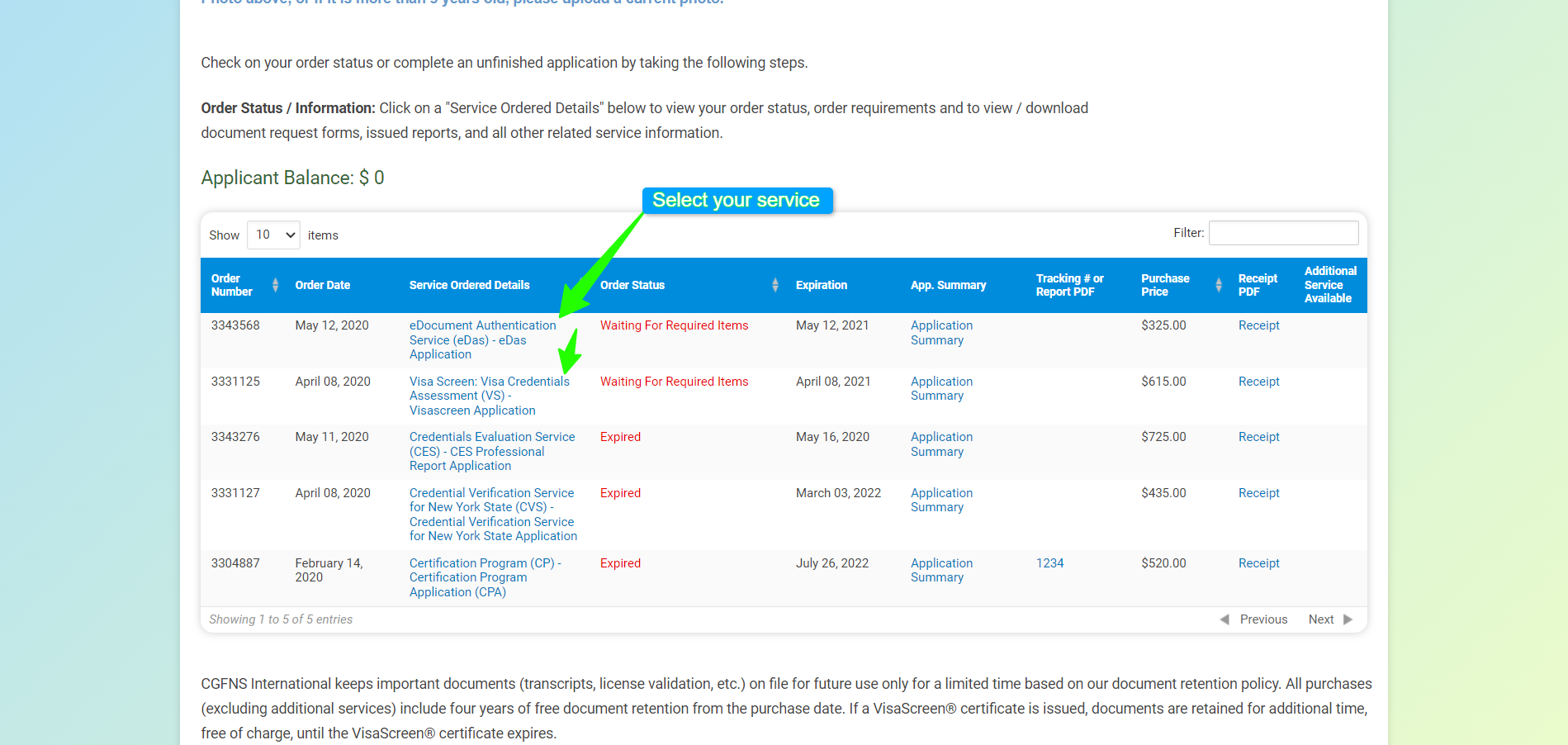
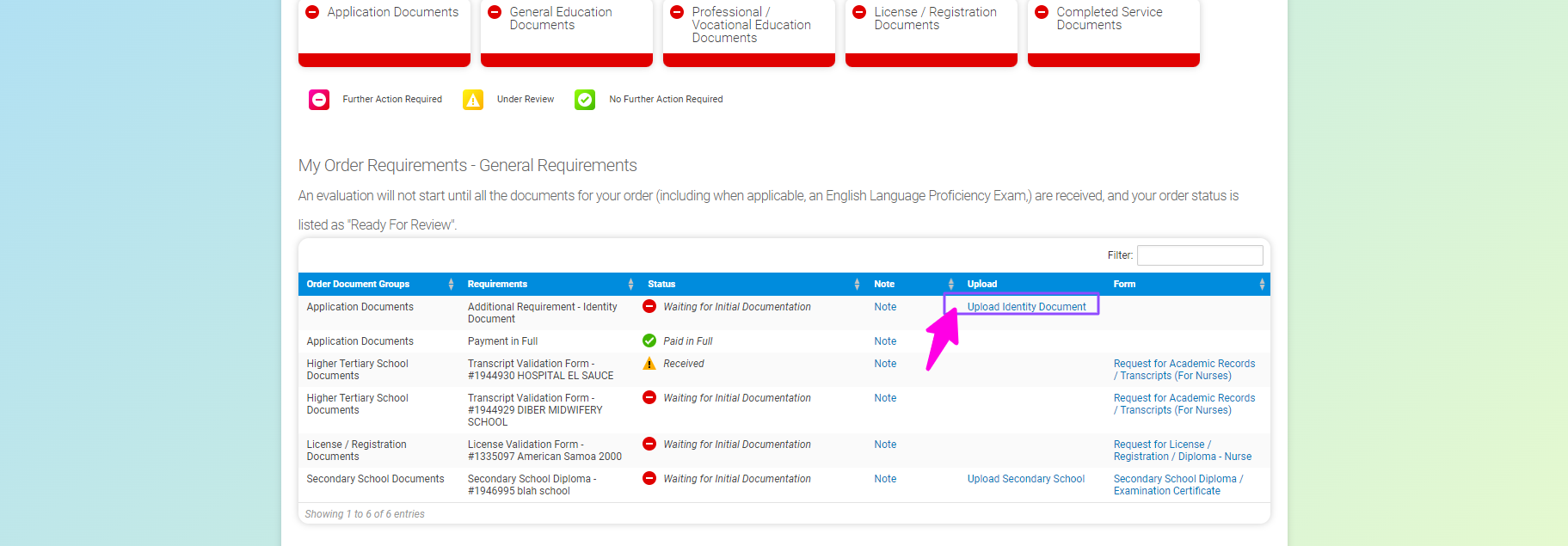
, click on your services on the "My Dashboard," and look for the "Upload Identity document" link next to the Identity
requirement on the "Service Ordered Details" page.
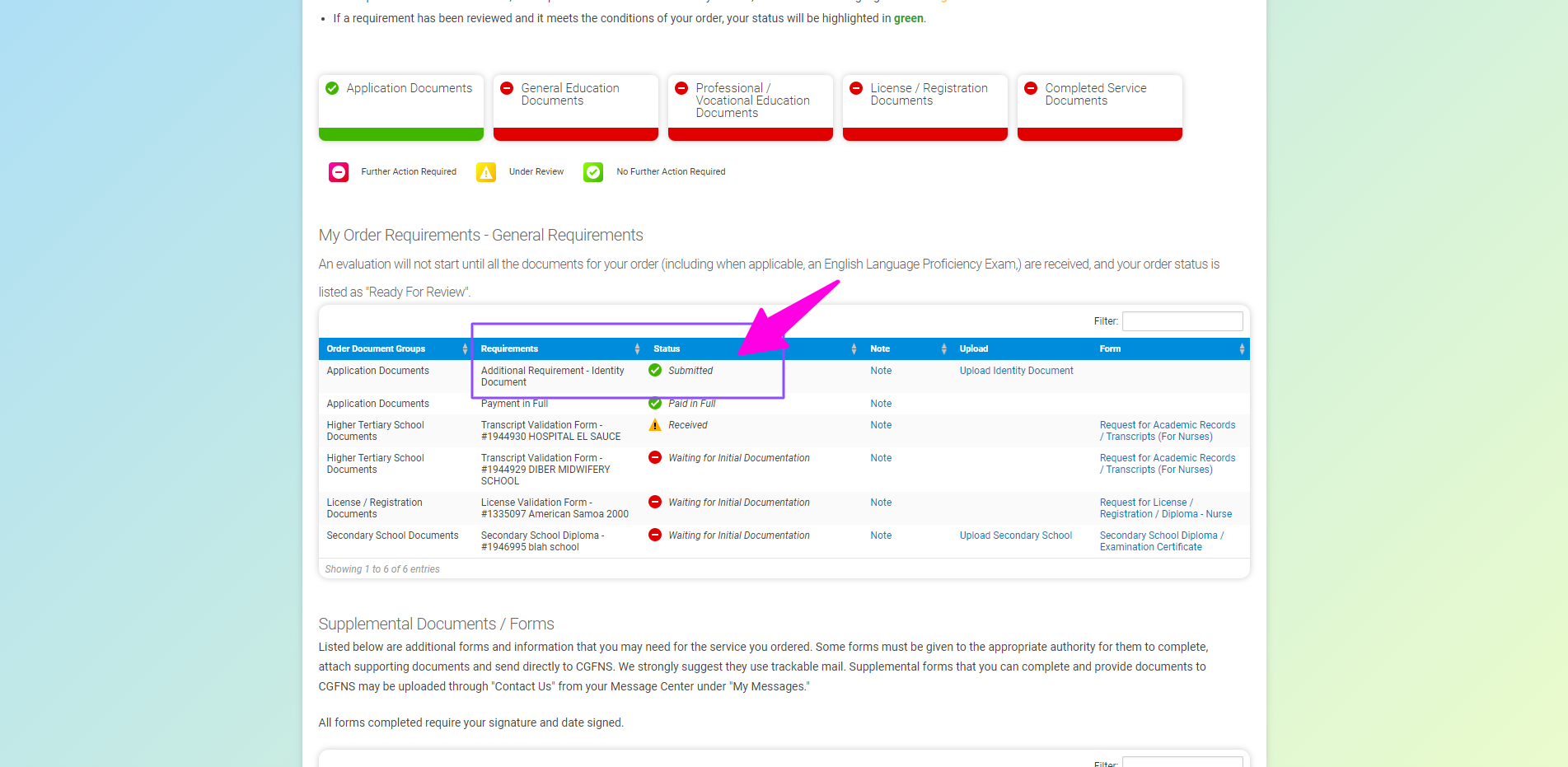
The following screenshots will assist you in the process:
A request form is not necessary. Simply upload the source document as proof of Identity.
It is recommended to review your uploaded document by clicking on it to ensure it is correct.
Once you have successfully uploaded, navigate back to the "My Dashboard" -> "Service Ordered Details" page to confirm that the status of your document has been updated to "Received".
We appreciate you using this direct upload method, which helps to expedite the processing time. Once all the required documents for your service have been received, they will be reviewed.
 As of August 15, 2023, CGFNS has introduced a feature that allows you to directly upload your Identity documents.
 CGFNS Connect.
, click on your services on the "My Dashboard," and look for the "Upload Identity document" link next to the Identity
requirement on the "Service Ordered Details" page.
CGFNS Connect.
, click on your services on the "My Dashboard," and look for the "Upload Identity document" link next to the Identity
requirement on the "Service Ordered Details" page.